App Palette

Your Dock, Your Way

App Palette is a beautiful dock replacement that turns your app launcher into something personal. Organize your favorite apps into themed collections, launch anything with keyboard shortcuts, and make your Mac truly yours.

Download on the Mac App Store

$2.99 — one-time purchase, no subscription

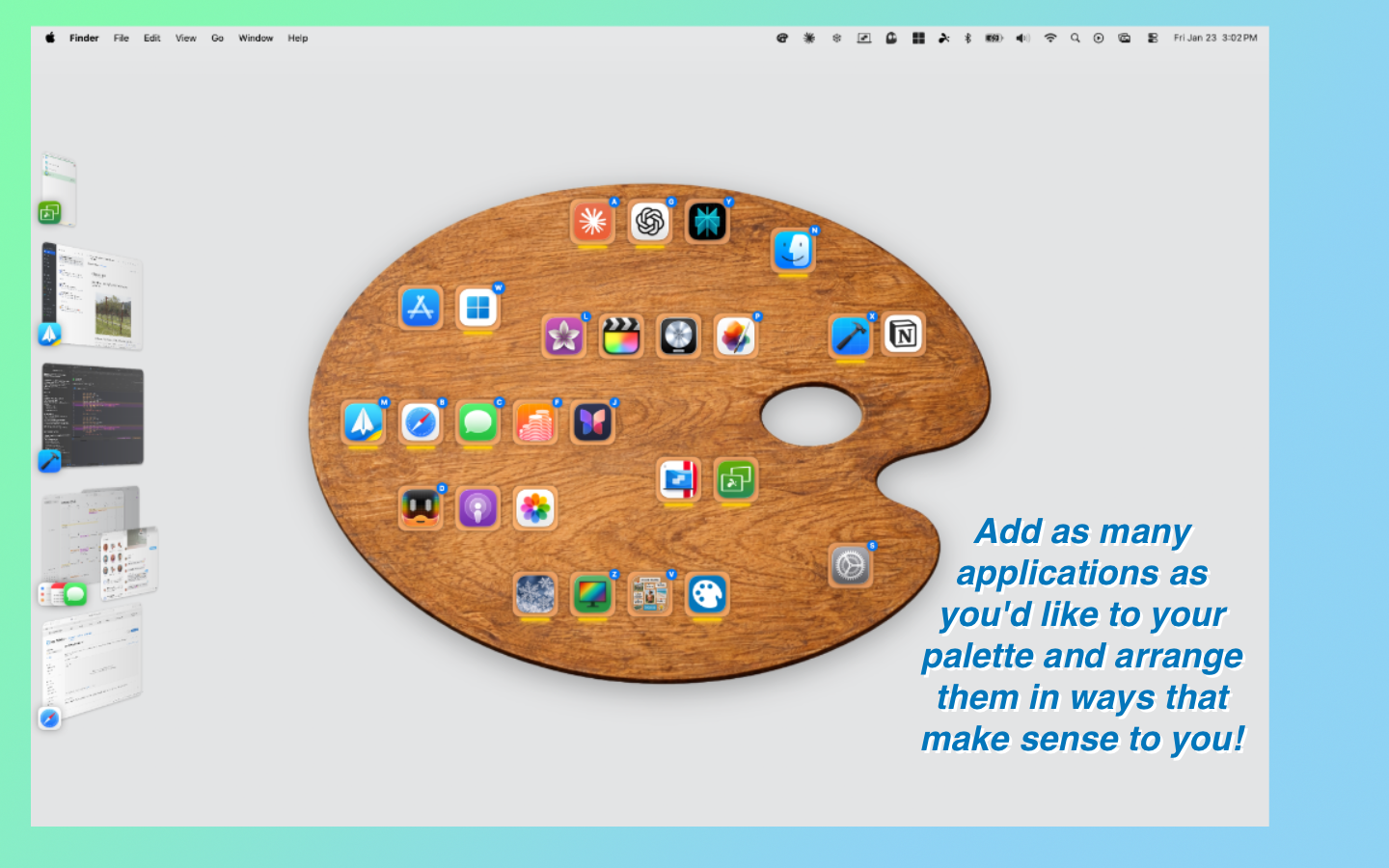
App Palette — organize your apps on a beautiful painter's palette

Everything your Dock wishes it could be

Organization, speed, and personality the built-in Dock doesn't have.

📂

Collections

Group your apps by context — Work, Creative, Personal, Gaming — and switch between them instantly. Each collection gets its own look and shortcuts.

🎨

13 Palette Themes

Choose from 13 hand-crafted palette backgrounds. Each collection can have its own theme, icon, and accent color. Make every context feel different.

⌨️

Keyboard-First

Assign A-Z shortcuts to your apps. Press a key to launch, Shift to go fullscreen. One global hotkey summons your palette from anywhere.

🖱️

Drag and Drop

Rearrange apps freely on the palette. Move them between collections by dragging. Hold Option to copy instead. Enable Snap to Grid for a tidy layout.

🔍

Adjustable Icon Sizes

Scale your app icons from 0.5x to 2x. Make them big and bold or small and compact — whatever fits your workflow.

🔒

Private and Sandboxed

App Palette doesn't collect any data. Fully sandboxed, privacy-respecting, and App Store approved. Your apps, your business.
Your apps, your way

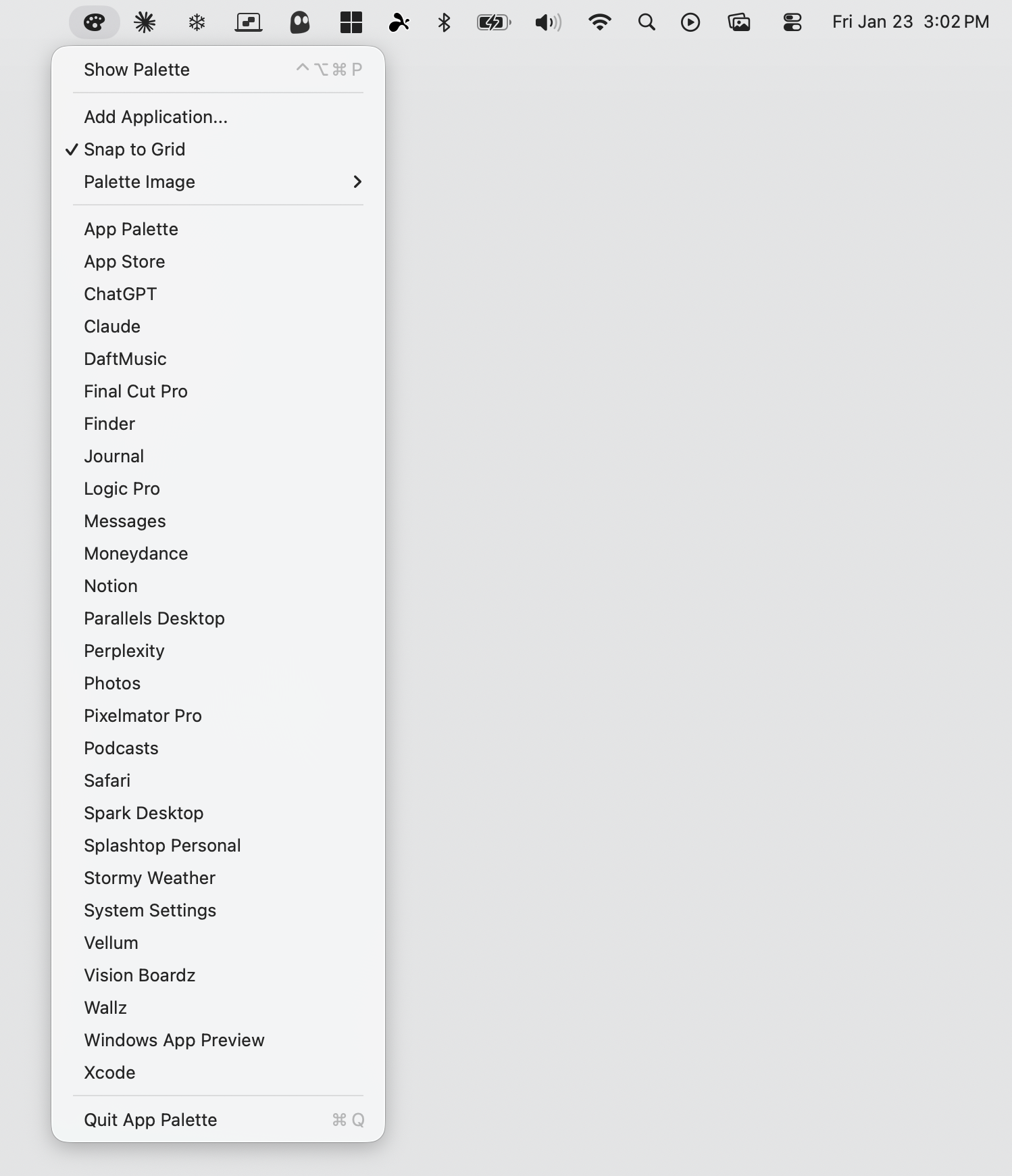
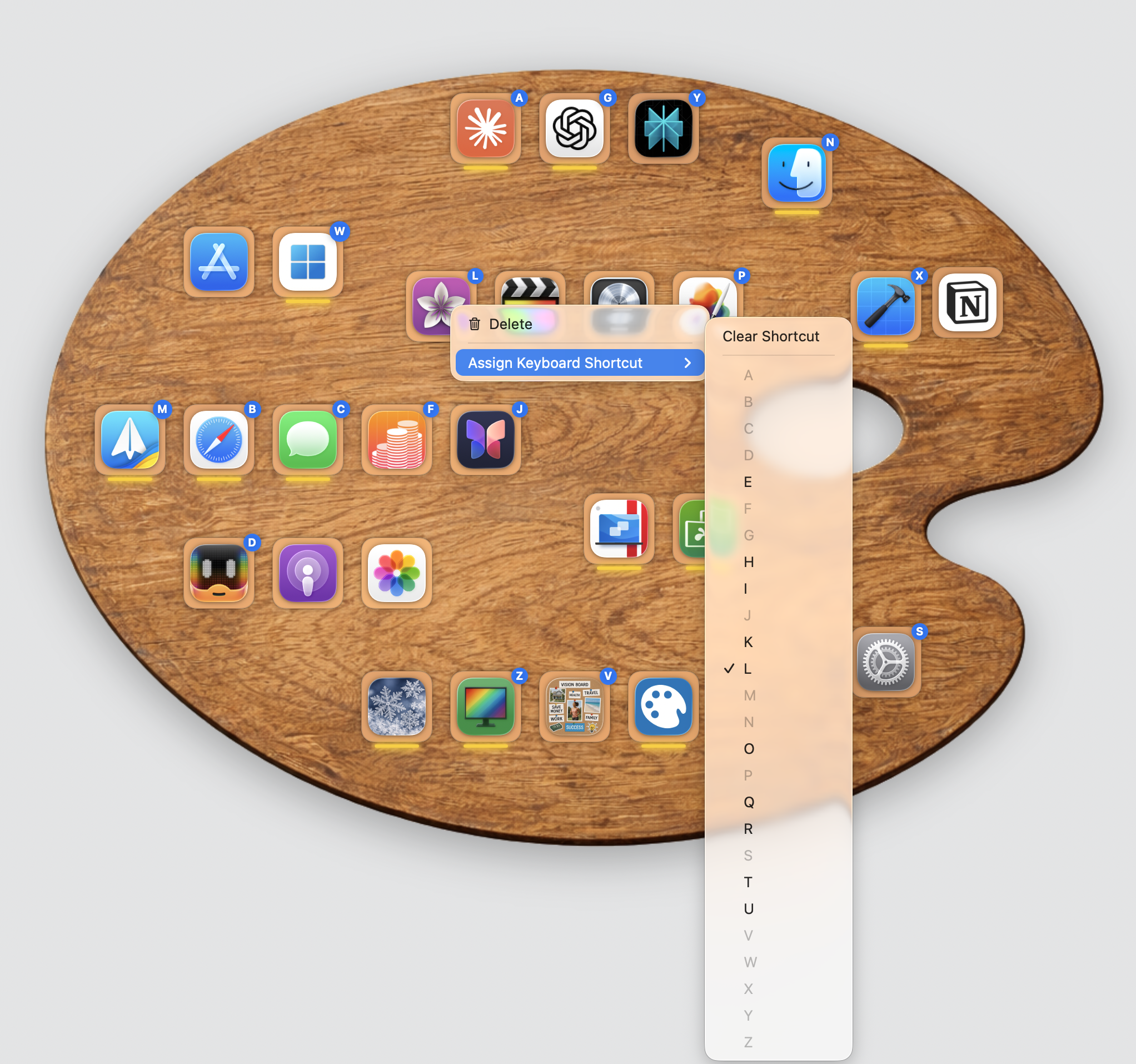
Right-click any app to assign a keyboard shortcut, or use the menu bar for quick access to every app in your collection.

Assign keyboard shortcuts to any app

Right-click to assign A-Z keyboard shortcuts to any app

Menu bar access to all your apps

Access every app from the menu bar — always one click away

A palette for every mood

13 built-in themes so every collection feels just right.

Black Blue Clean Dirty Gray Green Loaded Navy Orange Pink Red White Yellow

Built for speed

Everything you need is one or two keystrokes away.

⌃⌥⌘P Show or hide palette
A — Z Launch assigned app
⇧ + Key Launch in fullscreen
← → Switch collections
⌘1 — ⌘9 Jump to collection
Esc Close palette

How It Works

1

Create Collections

Set up collections for different parts of your day — Work, Creative, Personal, Gaming. Name them, pick a theme, choose an icon.

2

Add Your Apps

Drag your favorite apps onto each palette. Assign A-Z keyboard shortcuts for instant launching. Arrange them however you like.

3

Launch Instantly

Press the global hotkey to summon your palette from anywhere. Tap a letter to launch an app. Switch contexts with arrow keys. Done.

App Palette at a Glance

A better way to launch your apps.

📂

Unlimited Collections

Custom names, icons, and accent colors

🎨

13 Themes

A unique look for every context

⌨️

A-Z Shortcuts

Per-collection keyboard shortcuts

🔒

Privacy First

Sandboxed. No tracking. No data collection

macOS 14 Sonoma or later. Runs natively on Apple Silicon and Intel.

Ready to ditch the Dock?

App Palette is $2.99, one-time. No subscriptions, no ads, no tracking.

Download on the Mac App Store